Glam AI: Makeup Routines
- 4.0
- Rating
- 500.00K
- Installs
- Free
- Price
 Analysis by App-foxy
I opened Glam AI expecting a quick beauty experiment rather than a complete replacement for a makeup routine. That turned out to be the right way to approach it. This free beauty app from DictionaryAndTranslator is built around an AI-assisted idea: start with your own appearance, explore a makeup direction, and use the result to decide what might suit you. It is aimed at anyone who wants a visual starting point before trying products in front of a mirror.
My first impression was that the app is more useful as a decision-making aid than as a professional makeup tool. It can help break the blank-page problem when I know I want to look different but cannot decide between a soft everyday style, a stronger evening look, or something more experimental. At the same time, the generated result should be treated as inspiration, not a promise that the same colors and finishes will look identical in person.
The app is free to install and is rated for Everyone, which makes it approachable for casual users. It has an average rating of 4.0 from around 64 thousand ratings and has passed over 500 thousand installs. Those figures suggest that it has found a reasonably broad audience, although popularity does not remove the need to judge whether an AI beauty workflow fits the way you actually shop, plan, or apply makeup.
You May Also Like

 Blood Strike: 2.5 Anniversary
Blood Strike’s Loadouts Turn Every Drop Into a Tactical Gamble
A close look at Blood Strike’s custom loadouts: how fast access to signature weapons reshapes its battle royale rhythm, rewards preparation, and narrows the gap between fights.

 Pandora - Music & Podcasts
Pandora’s Music Is Easy to Start, but Harder to Recover
Pandora’s strength is its low-effort path from a seed to a station. Its weak spot is how much confidence it asks you to place in connection, setup, and quiet recovery.

 8 Ball Pool
 Is Built on Rivalries, Rematches, and Routine
A close look at the rivalries, rematches, shared routines, and unanswered safety questions that turn a quick pool match into a persistent mobile community.

 Samsung Music
’s Quiet Strength Is Playing What You Already Own
Its reach comes less from spectacle than from dependable access to a personal library. That simplicity is both the app’s strongest retention engine and its ceiling.

 AccuWeather: Weather Radar
AccuWeather Review: A Quick, Clear Forecast for Everyday Decisions
For everyday plans, the best forecast is the one you can understand quickly. AccuWeather makes rain timing, radar, and local conditions easy to act on, with a few trade-offs.

 Hill Climb Racing
Why Hill Climb Racing Still Turns Crashes Into One More Run
A tiny car, a bumpy hill and one more upgrade: Hill Climb Racing keeps resurfacing because its simple chaos makes every near-miss feel personal.
More From Our News Desk



From a vague beauty idea to a usable makeup plan
I use this section to move from a broad makeup idea to a reference I can actually evaluate, rather than expecting a finished routine to appear by itself. A useful next step is to decide which one feature matters most—such as eye definition or lip color—so the preview gives me a clearer basis for adapting the look to products and techniques I already know.
Starting with the right expectation
The most important preparation happens before touching the app. If I open it hoping for a precise shade match, a professional consultation, or a flawless preview of a finished face, I am likely to be disappointed. If I open it with a more practical goal—“I need an idea for a dinner,” “I want to understand what a bolder look could do,” or “I am bored with my usual routine”—the experience makes more sense.
This distinction matters because AI-generated beauty imagery can look persuasive while still being visually idealized. Lighting, camera angle, skin texture, facial expression, and the way a phone processes an image can all influence the outcome. I would therefore use the app before shopping, not as the final authority when choosing an exact foundation tone or deciding whether a product will work with sensitive skin.
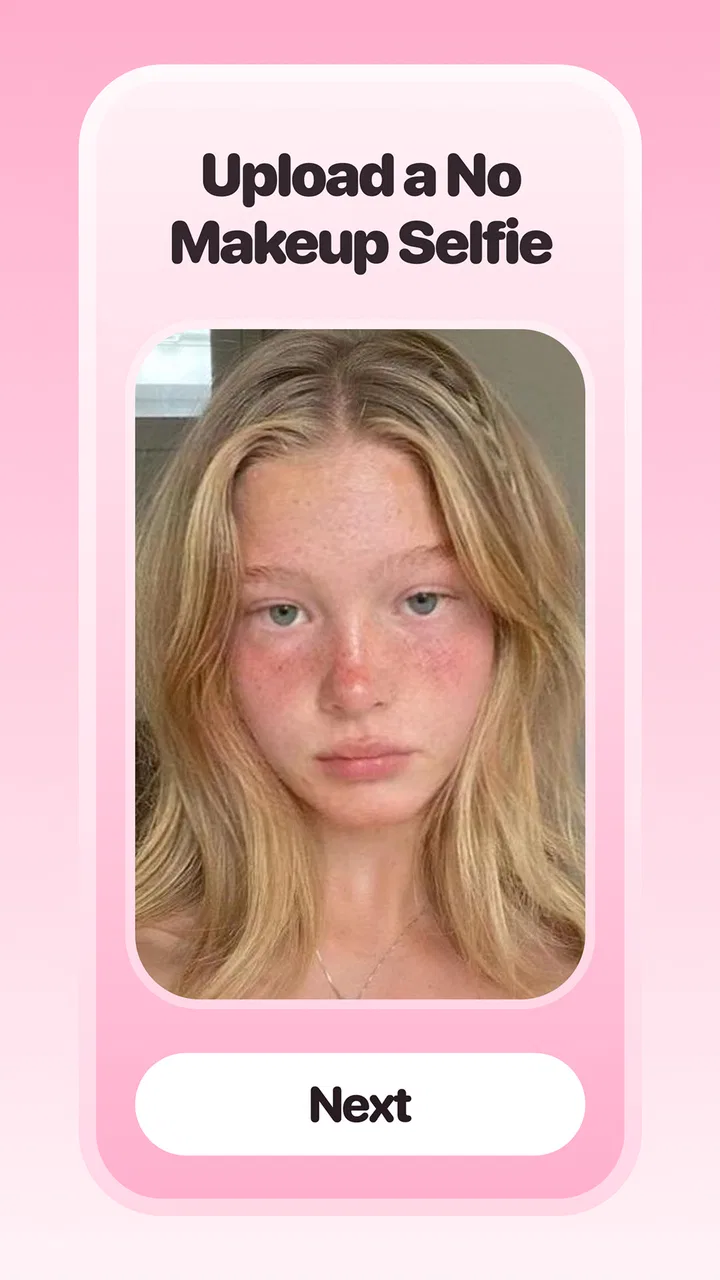
A useful starting condition is a clear, front-facing photo taken in ordinary light. I would avoid heavy filters, dramatic shadows, and an angle that hides part of the face. This is not a technical requirement I would treat as a guarantee; it is simply the most sensible way to give an image-based beauty tool a fair chance. A poor input makes it harder to tell whether an attractive or awkward result comes from the makeup concept or from the picture itself.
The first pass: explore before trying to perfect
My advice is to make the first session exploratory. Do not spend the opening minutes trying to create one flawless final image. Look at how the app handles different directions and notice which changes actually interest you. A softer lip, more visible eye definition, or a generally polished finish may be more useful than a dramatic transformation that looks impressive but does not fit your daily life.
This is one of the app’s strongest everyday uses. Traditional makeup tutorials usually begin with a fixed look and explain how to copy it. Glam AI reverses that process: it helps me decide what kind of result I want before I search for instructions or products. That small change can save time, especially when I am choosing a look for an event and do not yet have a clear visual reference.
I also found it helpful to judge the result at two levels. First, I look at the overall impression from a distance, because that is how other people will usually see the finished look. Then I inspect the details more critically. An image can communicate a flattering mood while failing to show whether the imagined eyeliner, blush placement, or lip color would be comfortable and realistic to reproduce.
Turning an image into a routine
The handoff from inspiration to action is where the reviewer’s judgment becomes important. An AI preview is not automatically a shopping list. I would separate the result into categories: complexion, eyes, cheeks, lips, and the general intensity of the style. Then I would translate each category into techniques I already understand or can safely research.
For example, if the generated look feels polished because of stronger eye definition, I would not assume that I need every product visible in a beauty advertisement. I might test a simpler version with one neutral shadow and a pencil liner. If the appeal comes from a brighter lip, I would first compare the color family with products I already own. This approach keeps the app from turning a creative prompt into unnecessary spending.
The most useful workflow is to treat the generated face as a reference board, not a shopping command. I can save the visual idea mentally or alongside my own notes, then recreate only the elements that matter. That is a more realistic bridge between the screen and the bathroom mirror, particularly for users who are still building a makeup collection.
A realistic everyday scenario
Imagine that I have work during the day and a casual dinner afterward. I do not want to carry a large makeup bag or completely redo my face in a restaurant restroom. I can use the app earlier in the day to explore a more adaptable look, then reduce it to a small handoff plan: keep the base light, add a little definition around the eyes, and bring one lip product that changes the mood.
In that situation, the value is not that the app magically applies the final look. The value is that it helps me choose a direction before I commit time and products. I can test the concept visually, decide what is practical, and prepare a short routine instead of improvising under pressure. That makes Glam AI more useful for planning than for last-second correction.
Where the handoffs become less smooth
The first friction point is the distance between a generated appearance and real cosmetics. Digital color is not the same as pigment on skin. A flattering result may depend on lighting that I cannot reproduce, while a shade that appears subtle on screen may be much stronger in person. I would always test a product on the skin when an exact match matters, especially for foundation, concealer, and complexion products.
The second friction point is personal technique. The app can suggest an outcome, but it does not replace the hand skills needed to blend, line, layer, or adjust intensity. Someone new to makeup may see a beautiful result and still be unsure how to get there. In that case, the next step should be a simple tutorial or a practice session with products already available, rather than buying everything at once.
The third issue is taste. AI can produce a look that is technically polished but not emotionally right for me. I may prefer visible skin texture, a less symmetrical finish, or a style that feels more individual than a highly refined preview. The app works best when I remain willing to reject a result instead of assuming that the most polished image is automatically the best recommendation.
Who will get the most from it
I think Glam AI is a good fit for beginners who need visual confidence before experimenting. It can also help occasional makeup users who have an event coming up but do not want to spend hours browsing tutorials. People who enjoy trying different aesthetics may appreciate the low-pressure nature of exploring an idea digitally before committing to a real application.
It is also useful for someone who owns products but uses the same combination repeatedly. A generated concept can act as a prompt to rearrange familiar items: a different lip-and-eye balance, a softer version of an evening look, or a more defined interpretation of an everyday routine. The benefit comes from changing the starting question from “What products should I buy?” to “What kind of finish am I trying to create?”
I would be more cautious about recommending it to users who need exact professional color analysis, detailed skin-condition guidance, or reliable product-level instructions. A makeup artist, dermatologist, or experienced beauty adviser remains the better choice when the decision involves allergies, active skin concerns, corrective techniques, or a precise match for photography and performance.
How it compares with familiar alternatives
Compared with browsing social media, Glam AI offers a more direct path from my own face to a possible makeup direction. Social platforms provide a huge range of inspiration, but the examples often feature different lighting, facial structure, products, and editing styles. The app’s appeal is that it begins with a personal visual reference rather than asking me to imagine how someone else’s look might translate.
Compared with ordinary makeup tutorials, it is better at helping me choose a destination and weaker at teaching every step needed to arrive there. A tutorial gives technique and sequence; this app gives a visual prompt. I would use both together when necessary: explore a direction in Glam AI, then find instruction for the specific part I do not know how to execute.
Compared with manual testing in a store, the app is more convenient and less awkward for early experimentation. However, in-person testing remains superior for texture, wear, undertone, and comfort. The two approaches are not interchangeable. One helps narrow the field, while the other confirms what works on real skin.
Practical details before installing
The app is available for Android users running version 6.0 or later, and the current version is 1.0.34. It is free to start, but in-app purchases range from $0.99 to $99.99 per item. I would pay attention to the point at which the free experience ends before treating the app as a regular planning tool. A low entry price can be reasonable for occasional experimentation, while a higher purchase deserves a clear personal benefit.
That pricing range also changes how I would evaluate the app. If I only need occasional inspiration for a single event, I would first see whether the free experience answers that need. If I plan to use it repeatedly, I would consider whether the additional value is practical—such as helping me make decisions I would otherwise struggle with—rather than paying simply because a generated image looks attractive.
The developer is DictionaryAndTranslator, and the app was released on December 17, 2024. As a relatively recent beauty app, I would approach it with curiosity but also with normal caution about updates and evolving behavior. The version installed on a phone can affect how smooth the workflow feels, so keeping the app current is sensible when an update is available.
Small habits that improve the outcome
I would run the same idea against more than one suitable photo rather than trusting a single image. This helps me distinguish a genuinely appealing makeup direction from an effect that only works because of one expression or lighting setup. It is a simple check, but it prevents me from overreacting to a particularly flattering preview.
I would also compare intensity, not just style. A dramatic result can often be adapted into a wearable one, while a barely visible result may not teach me much about changing my appearance. Asking “What is the smallest version of this look I would actually wear?” turns the app into a more useful planning instrument and reduces the gap between inspiration and execution.
Another smart habit is to keep a short record of what I already own before exploring. When I know I have a neutral palette, one reliable blush, and several lip colors, I can judge the generated idea by adaptation rather than by replacement. This makes the final result more affordable and gives me a clearer test of whether the app is improving my routine or merely encouraging consumption.
What the result can and cannot tell me
The final image is most valuable when it answers a narrow question. Does a stronger lip change the balance of my face? Would a softer eye look feel more like me? Is this general level of polish appropriate for the occasion? Those are useful questions because the app can help me visualize a direction even before I have mastered the technique.
It is less reliable as an answer to questions about comfort, longevity, ingredients, or skin compatibility. A preview cannot tell me whether a product will crease, irritate, transfer, or feel heavy after several hours. I would handle those decisions through real-world testing and product information, keeping the AI result firmly in the inspiration stage.
The app also should not become a source of pressure. Beauty tools can make it tempting to compare an ordinary face with a perfected digital presentation. I prefer to use Glam AI as a creative sandbox: try an idea, keep what feels useful, and discard anything that makes the routine feel less personal. The best outcome is not the most transformed image; it is a look I can reproduce and enjoy.
My recommendation after following the full workflow
After moving from a vague idea to a visual result and then considering the real-world handoff, I see Glam AI as a focused companion for makeup exploration. It is especially helpful when I need a starting point, want to break out of a repetitive routine, or would like to preview a general style before searching for techniques and products.
I would not use it as my only beauty adviser, and I would not treat its imagery as proof of an exact shade match. The app’s limitations appear precisely at the point where digital inspiration must become physical application. That is not a reason to dismiss it; it simply defines the job it can do well.
For a free app in the beauty category, Glam AI is worth trying if you approach it with a specific question and a willingness to adapt the result. Users who want a professional consultation, detailed education, or precise cosmetic testing should choose a more specialized alternative. For everyone else, Glam AI offers a convenient way to turn “I want to try something different” into a concrete look that can be judged, simplified, and tested in real life.
FAQs for Glam AI: Makeup Routines
01What is Glam AI and what does it do?
Glam AI is an innovative app designed to enhance your photos using advanced artificial intelligence. It offers features such as automatic retouching, style enhancements, and personalized filters to create stunning images effortlessly. It's perfect for users looking to elevate their social media presence with professional-quality photos.
02Is Glam AI available for both Android and iOS devices?
Yes, Glam AI is available for download on both Android and iOS platforms. You can find it in the Google Play Store and the Apple App Store. It ensures a seamless experience across different devices, making it accessible for a wide range of users.
03Does Glam AI require an internet connection to function?
While some features of Glam AI can be used offline, such as basic editing tools, the app requires an internet connection for advanced AI features and updates. This ensures you always have access to the latest enhancements and cloud-based processing for optimal results.
04Are there any subscription fees for using Glam AI?
Glam AI offers a free version with basic features, but to unlock its full potential, users can subscribe to premium plans. These plans provide access to exclusive filters, advanced editing tools, and ad-free usage. Subscription details and pricing are available within the app.
05How does Glam AI handle user privacy and data security?
Glam AI prioritizes user privacy and ensures that all personal data is securely stored and not shared without consent. The app complies with industry standards for data protection and provides users with options to manage their privacy settings. Detailed information is available in the app’s privacy policy.
Pros
- Intuitive interface with easy navigation.
- Offers personalized style recommendations.
- Large database of fashion items.
- Seamless integration with social media.
- Regular updates with new trends.
Cons
- Limited options for men's fashion.
- Requires internet for full functionality.
- Occasional lag in loading images.
- Premium features locked behind paywall.
- Notifications can be overwhelming.

Glam AI: Makeup Routines
Gallery